An online booking page for your business
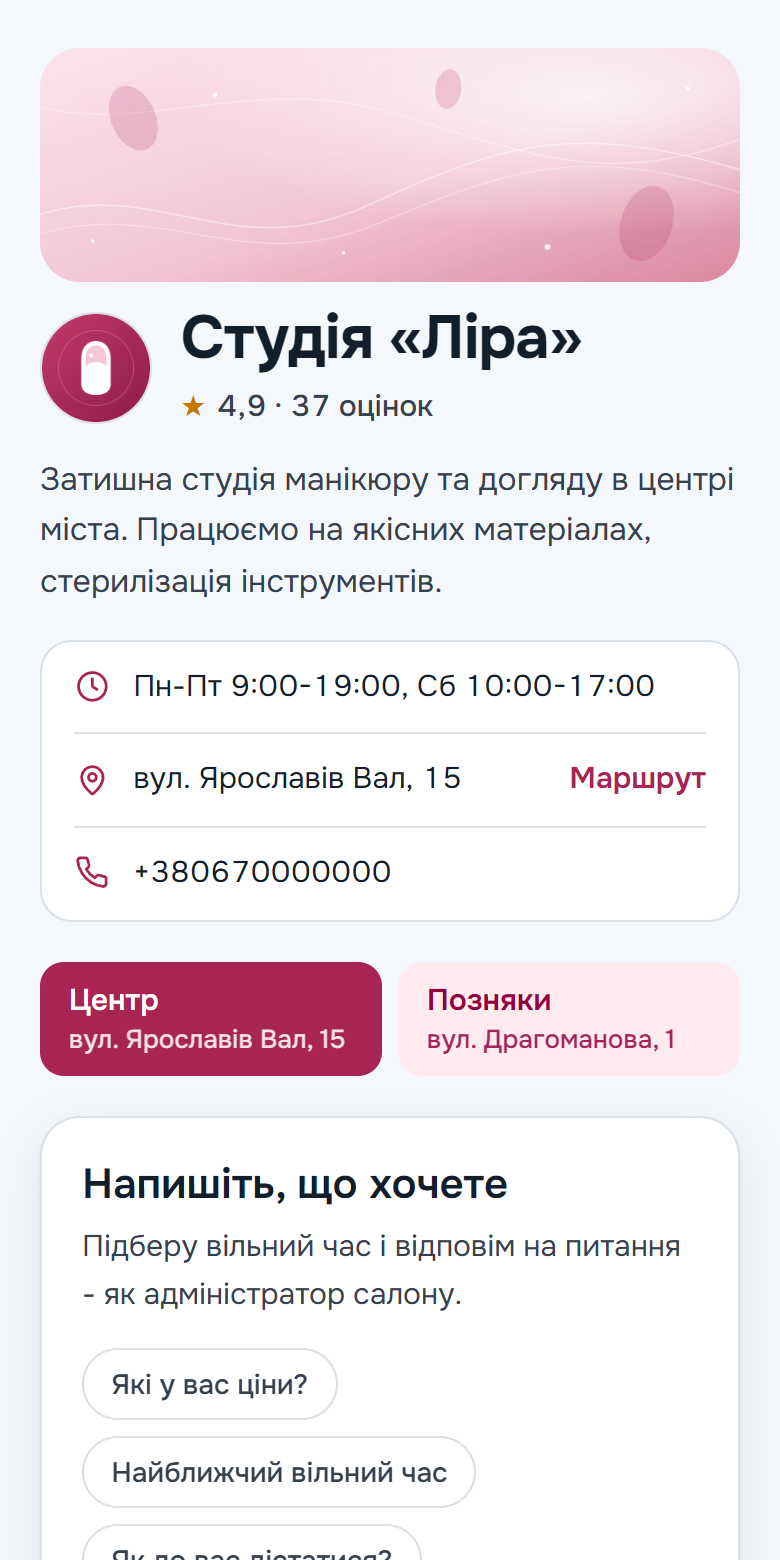
A link where clients book themselves: no Telegram, no sign-up and no calls. The page works on the same database as the bot, so a booking made there shows up in the calendar at once.
Every plan comes with a booking page. The assistant on the page, your logo, cover and colour are on Max and Ultra, branch choice on Ultra.
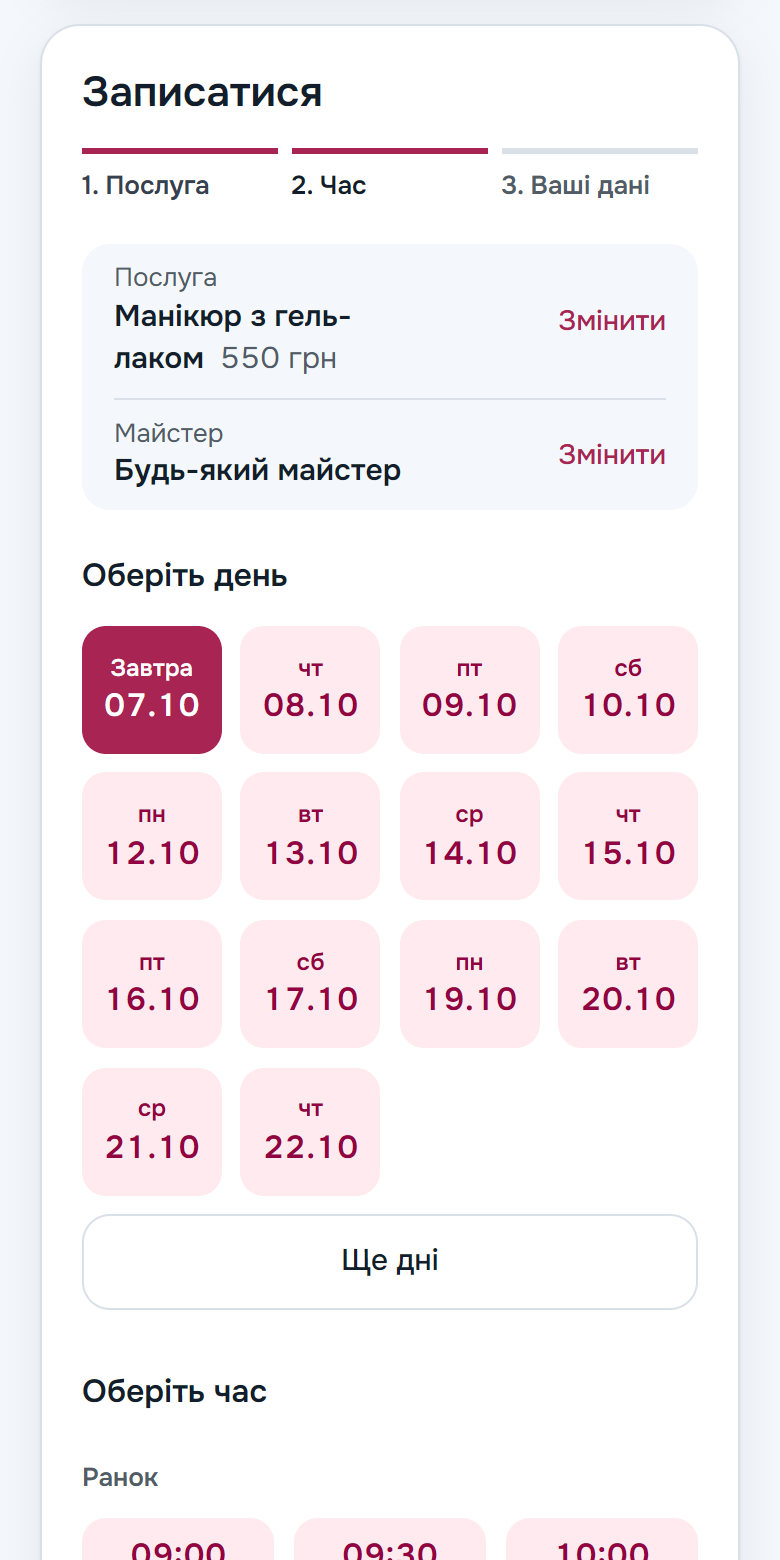
Booking in three steps
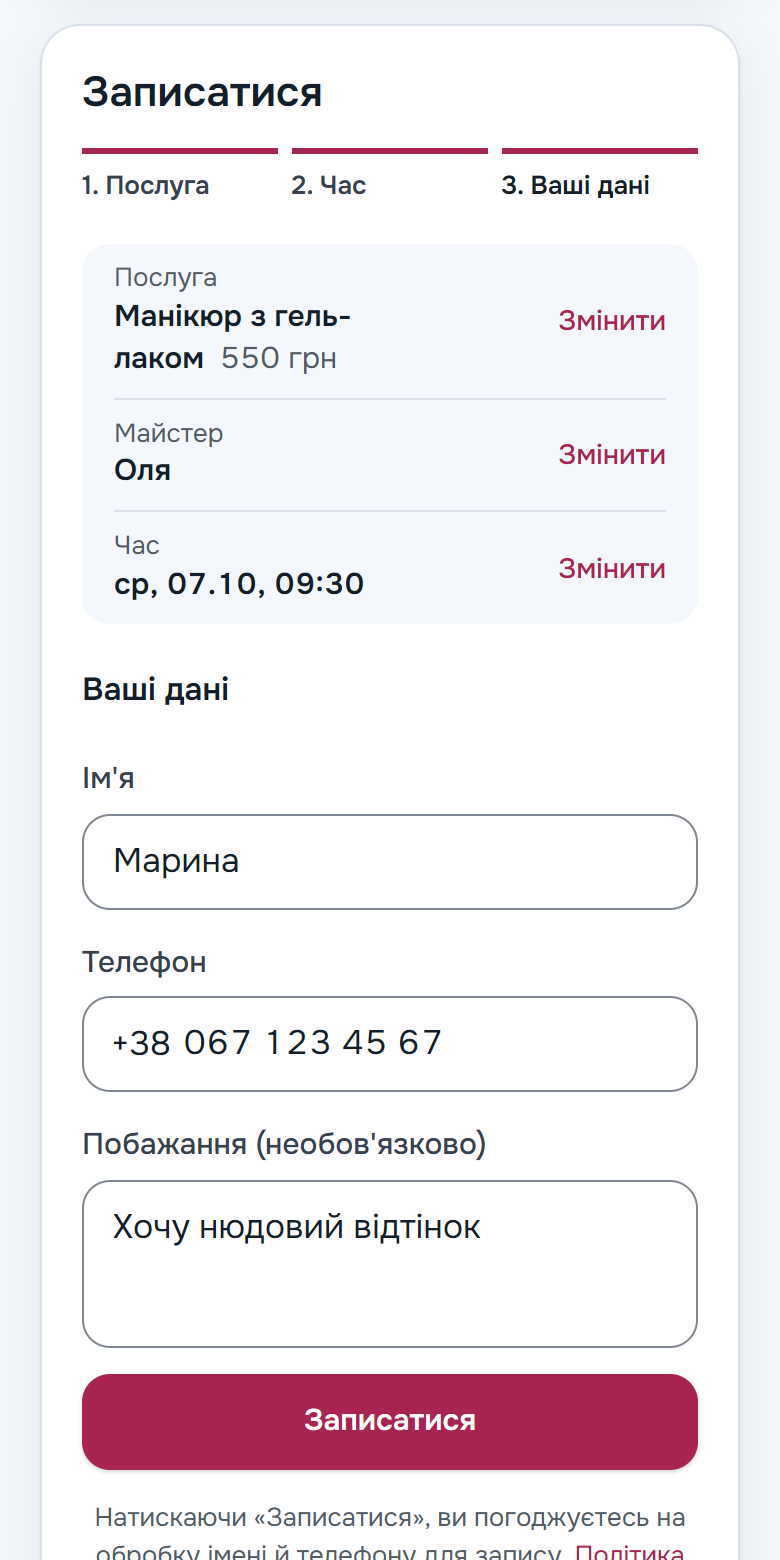
Service, time, name and phone. Days come in rows, hours are split into morning, afternoon and evening, and taken times simply aren't shown. If there are several specialists, the client picks one or anyone who is free.
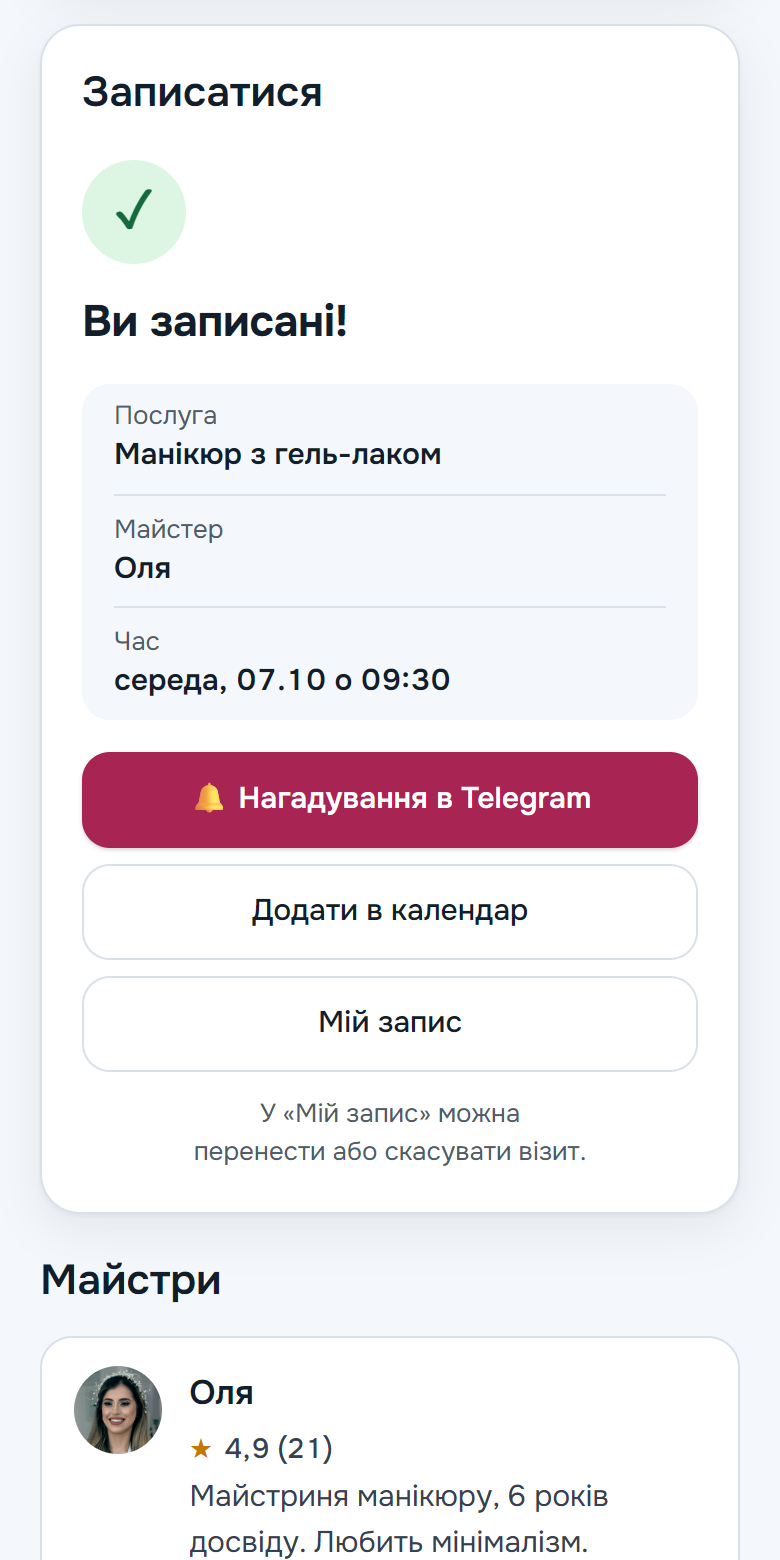
Everything at hand after booking
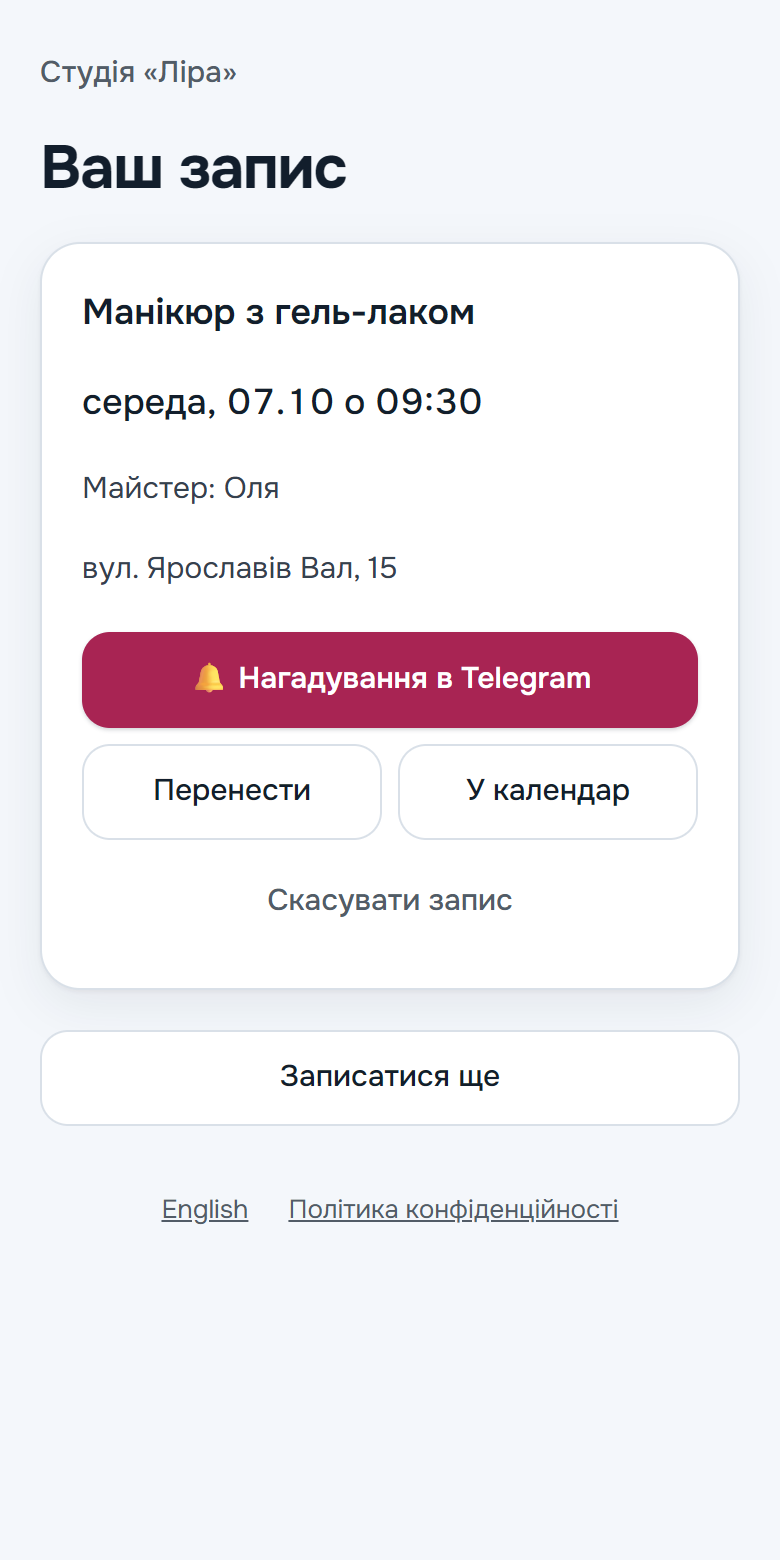
The booking is confirmed at once and the specialist gets a notification. With one tap the client turns on reminders in Telegram or adds the visit to the phone's calendar with reminders a day and two hours before. Cancelling or moving it takes the My booking link, no later than 30 minutes before the visit.
An assistant that answers right on the page
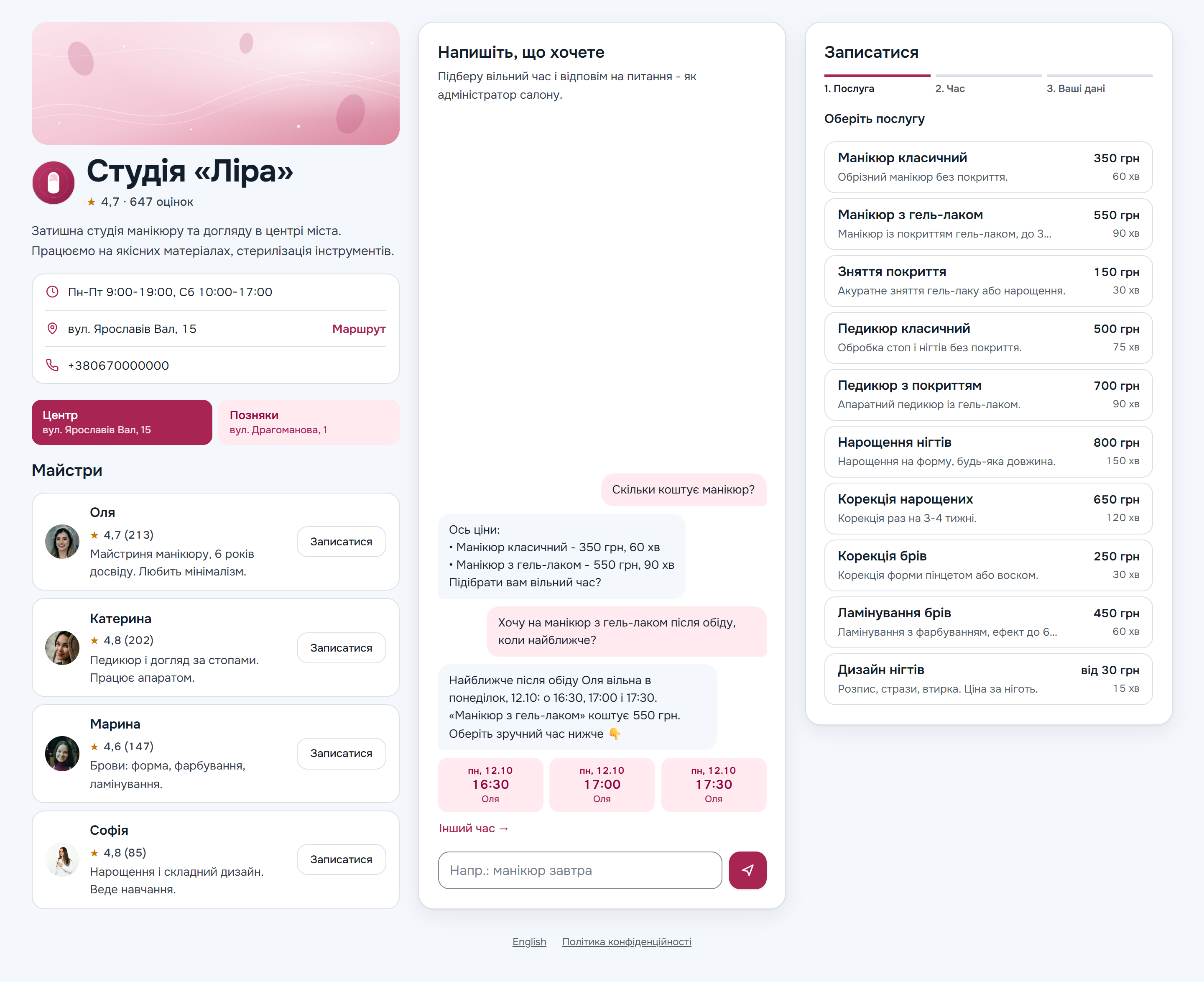
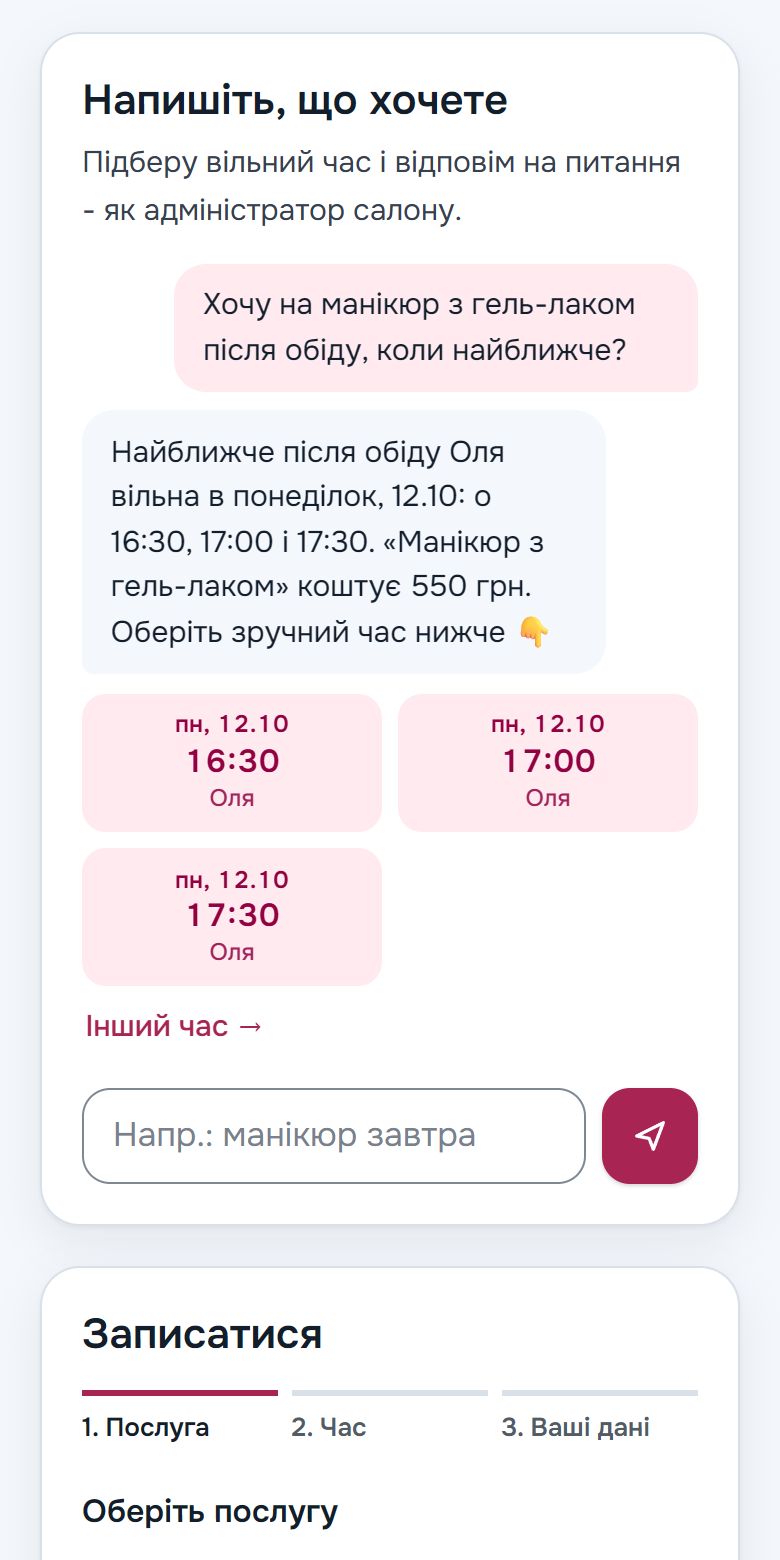
The client writes as in a chat: "Saturday afternoon, please" or "how much is it". The assistant answers from your price list and offers free times as cards, and tapping a card leads straight to booking. If a human is needed, the chat appears in the admin's queue and your reply reaches the client on the same page.
Looks like your business
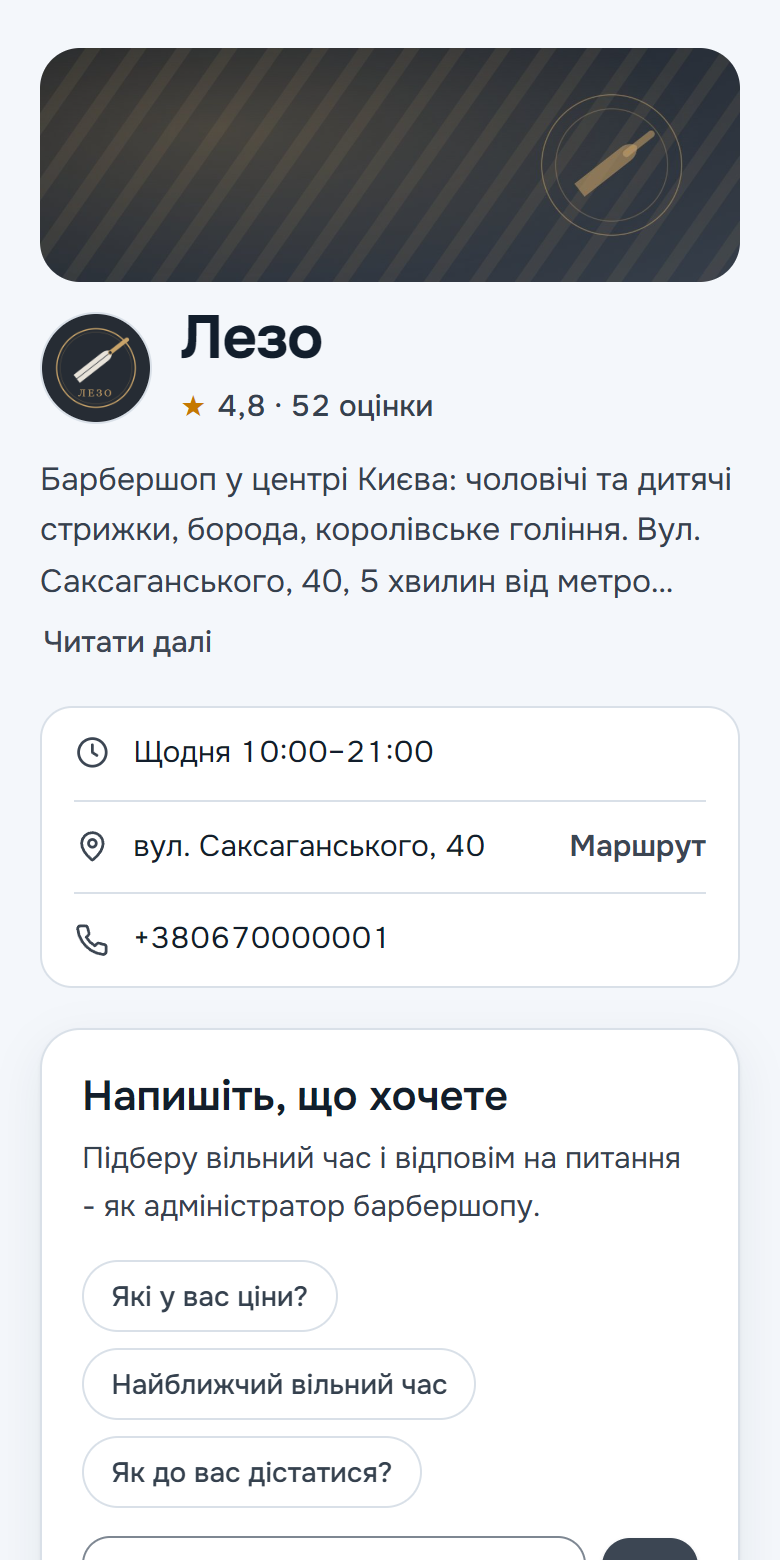
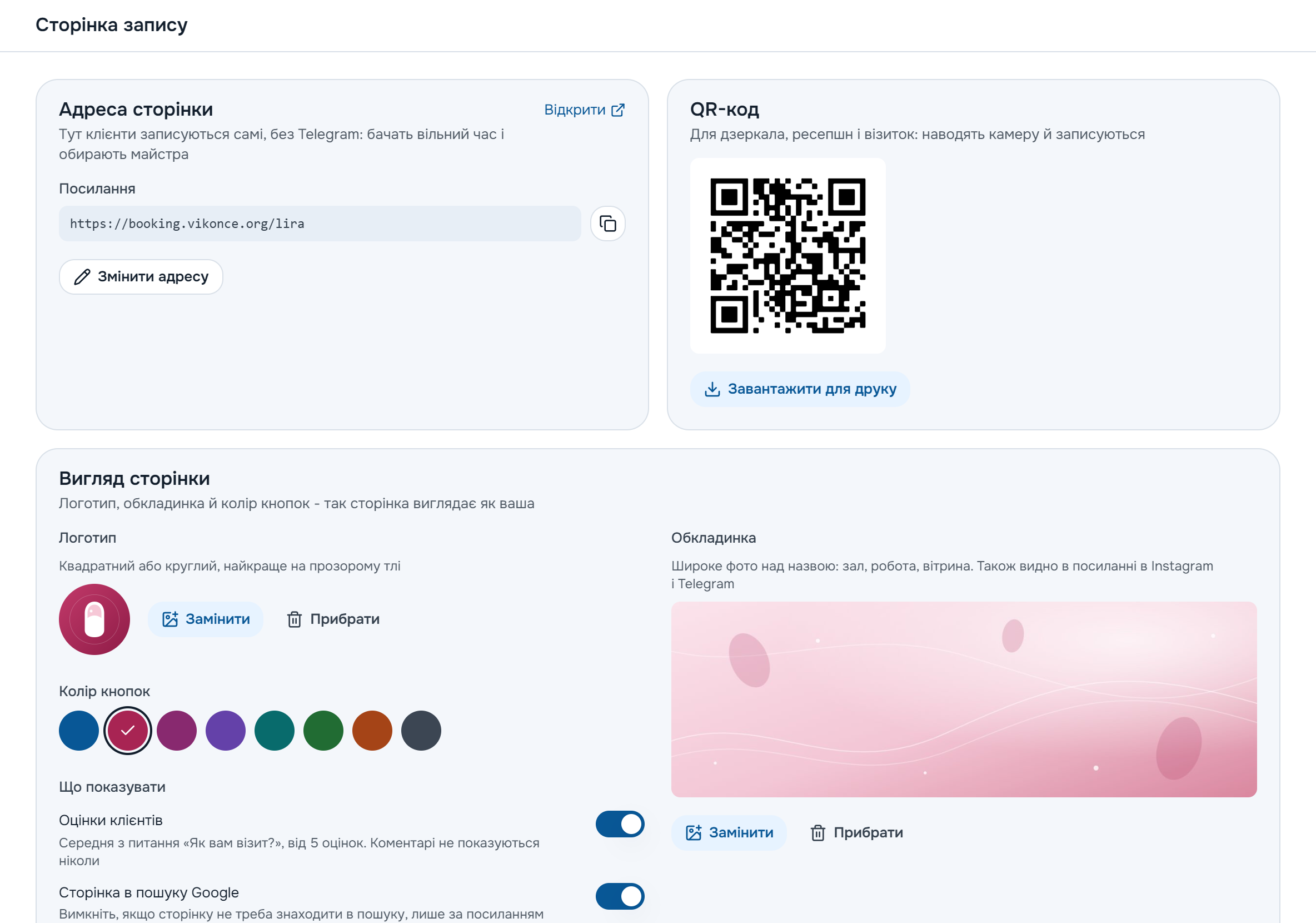
A logo, a cover, specialists' photos and one of eight colours. The average client rating appears once there are five ratings. The colours are chosen so that text stays readable in both the light and the dark theme of a phone.
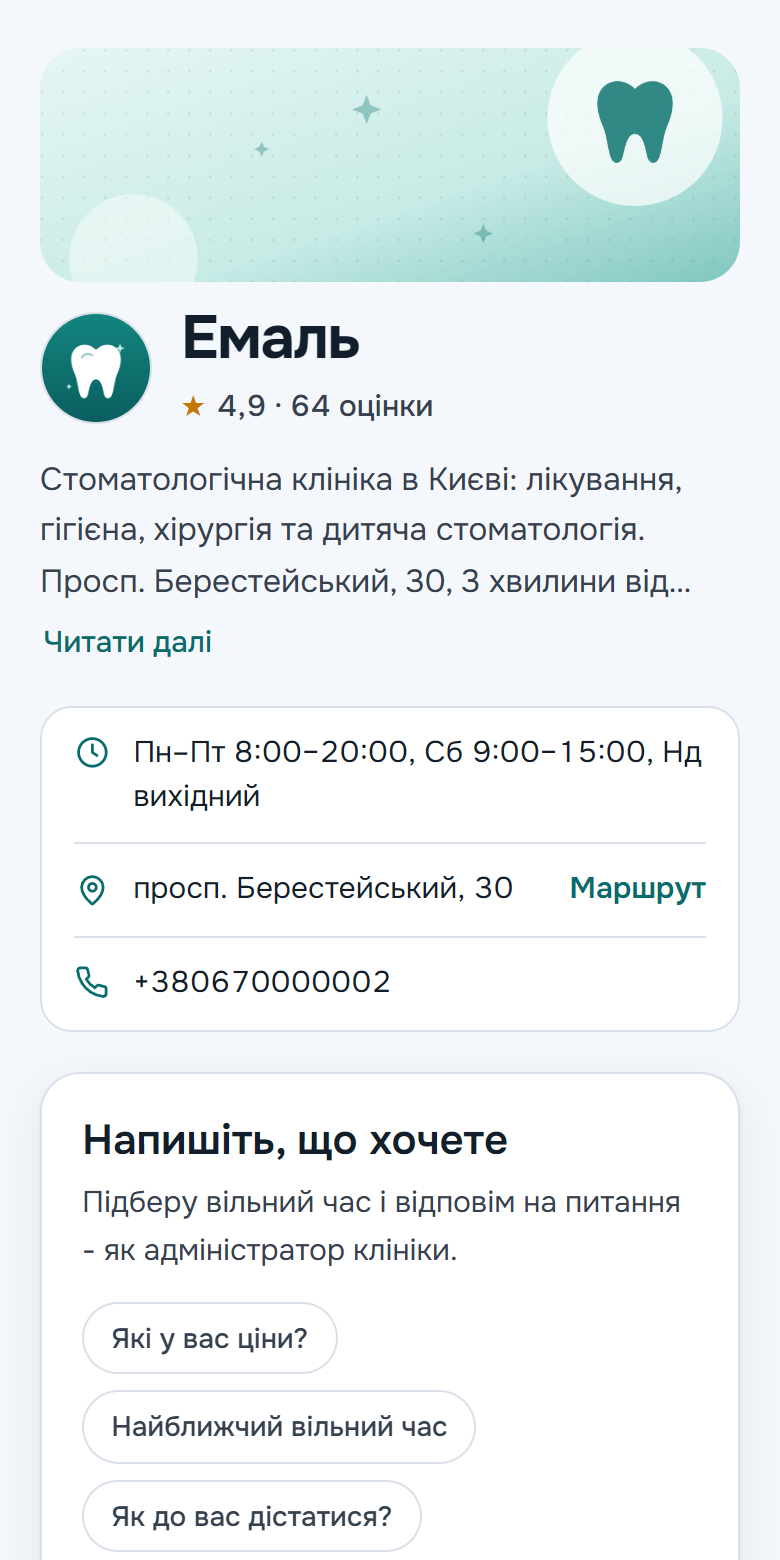
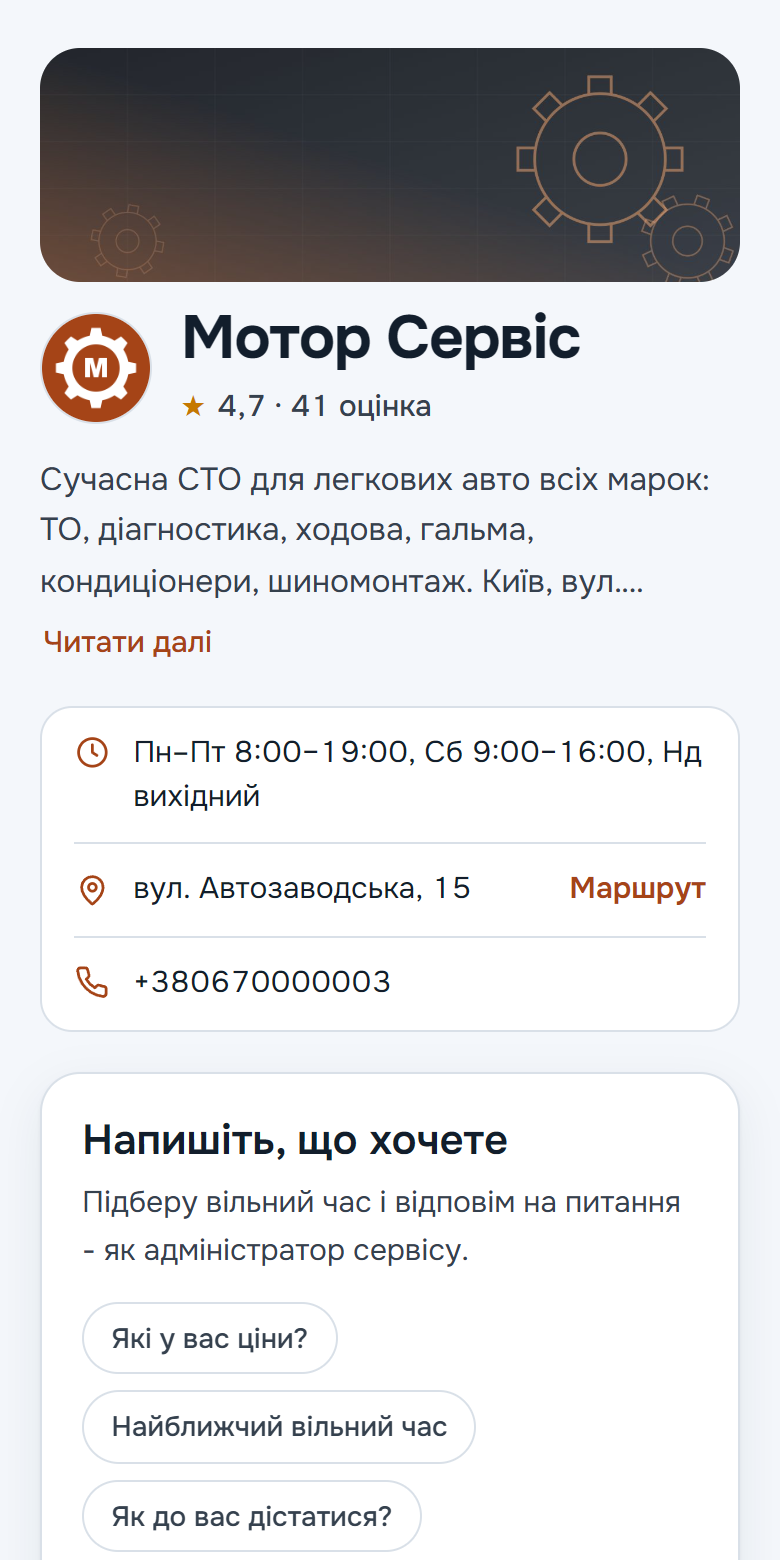
The link and QR code are ready
The Booking page tab of the admin holds the page address, a QR code to print and ready texts for your Instagram header and DM replies. Links for Instagram, QR and Google are tagged separately, so the statistics show where bookings came from.
Small things we thought of
Ukrainian and English
The page opens in Ukrainian, English is a switch at the bottom. The assistant replies in the client's language.
Found on Google
The address and hours are marked up for search. Don't need it? One switch hides the page.
A full day is no dead end
The nearest free days are right there, and a full one offers a Telegram waiting list.
Protection from fakes
A bot check, no more than two upcoming bookings per number, and every booking from the page is marked.
Where bookings came from
Statistics and the monthly report count page bookings separately for Instagram, the QR code and Google.
Several addresses
On Ultra the client picks a branch first and sees its services, specialists and hours.
Dark theme
Switches on by itself when the client's phone is set that way.
The address stays put
Renamed the short name? The old address leads to the new one, and a printed QR code keeps working.
See for yourself: it takes a minute
Message the demo bot the way a client would: try booking, asking about prices, moving a visit. Vikonce will reply before you finish reading this sentence.
Open the demo in TelegramFree · No sign-up