Web admin for client bookings
The same Vikonce that works in your Telegram, just on a big screen. One database for both: an edit on the web shows up in the bot, and an edit in the bot shows up on the web.
The web admin is included in the Max and Ultra plans. On Basic, the whole admin lives in Telegram.
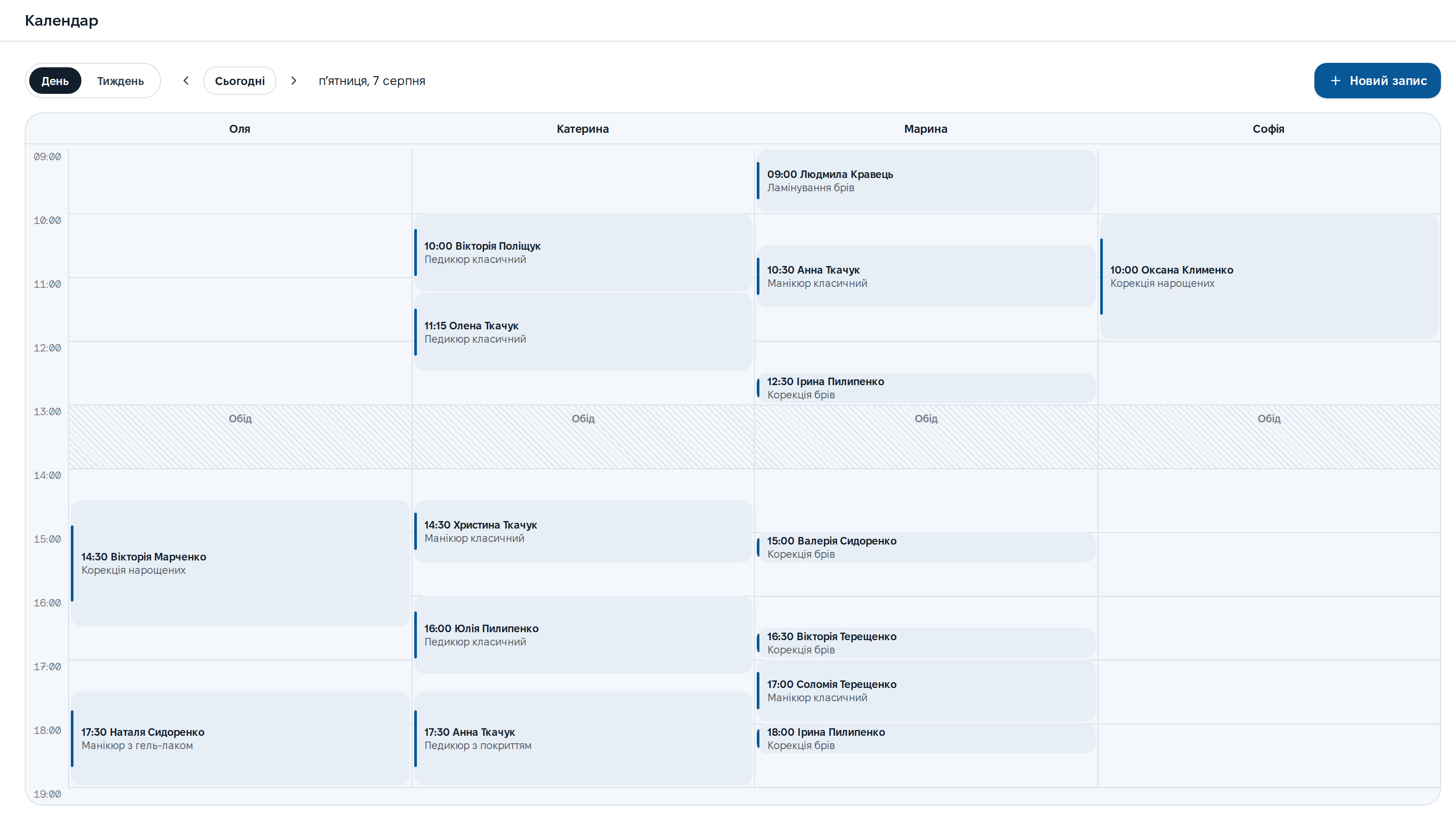
Every specialist's day side by side
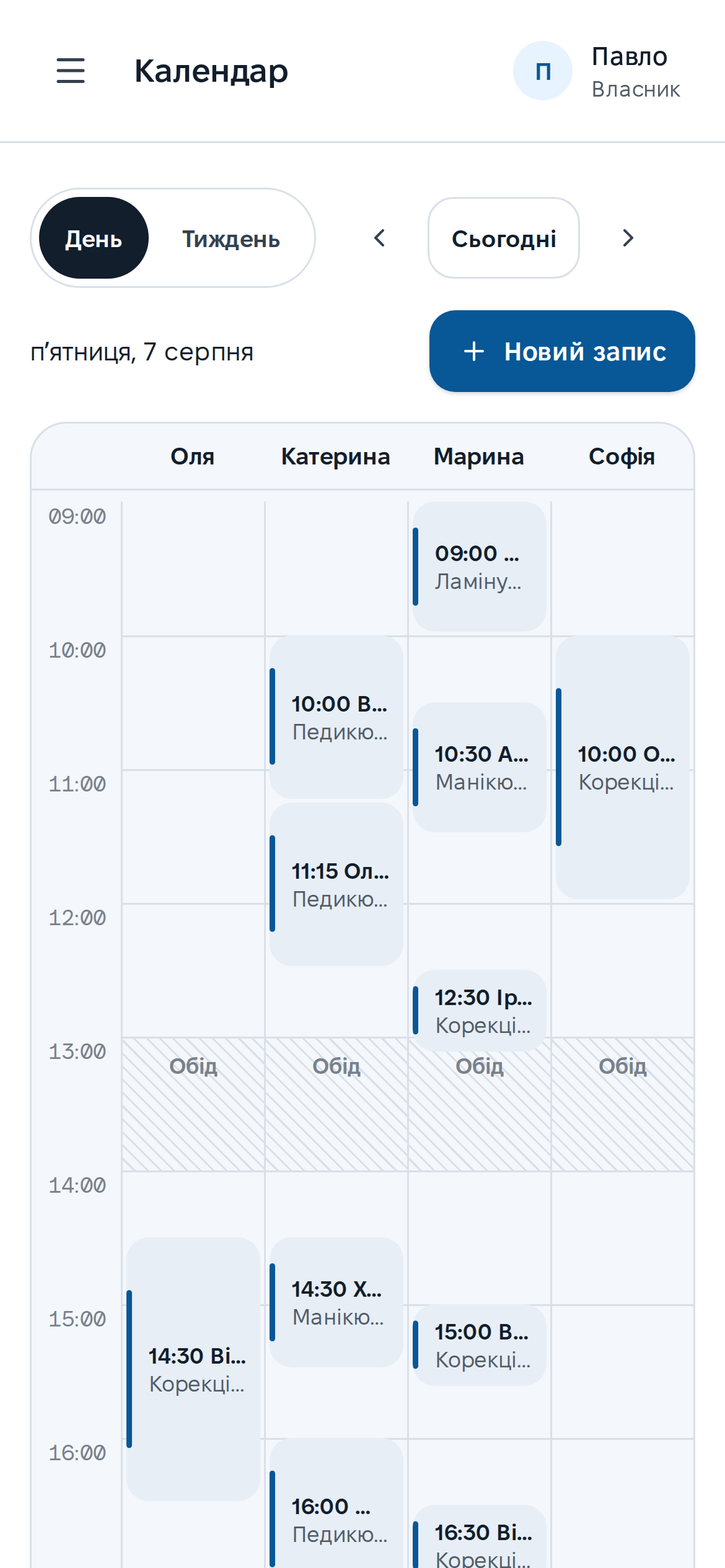
One screen instead of a dozen messages: day or week, a column per specialist, lunch as a band. New bookings, moves and cancellations happen right in the grid.
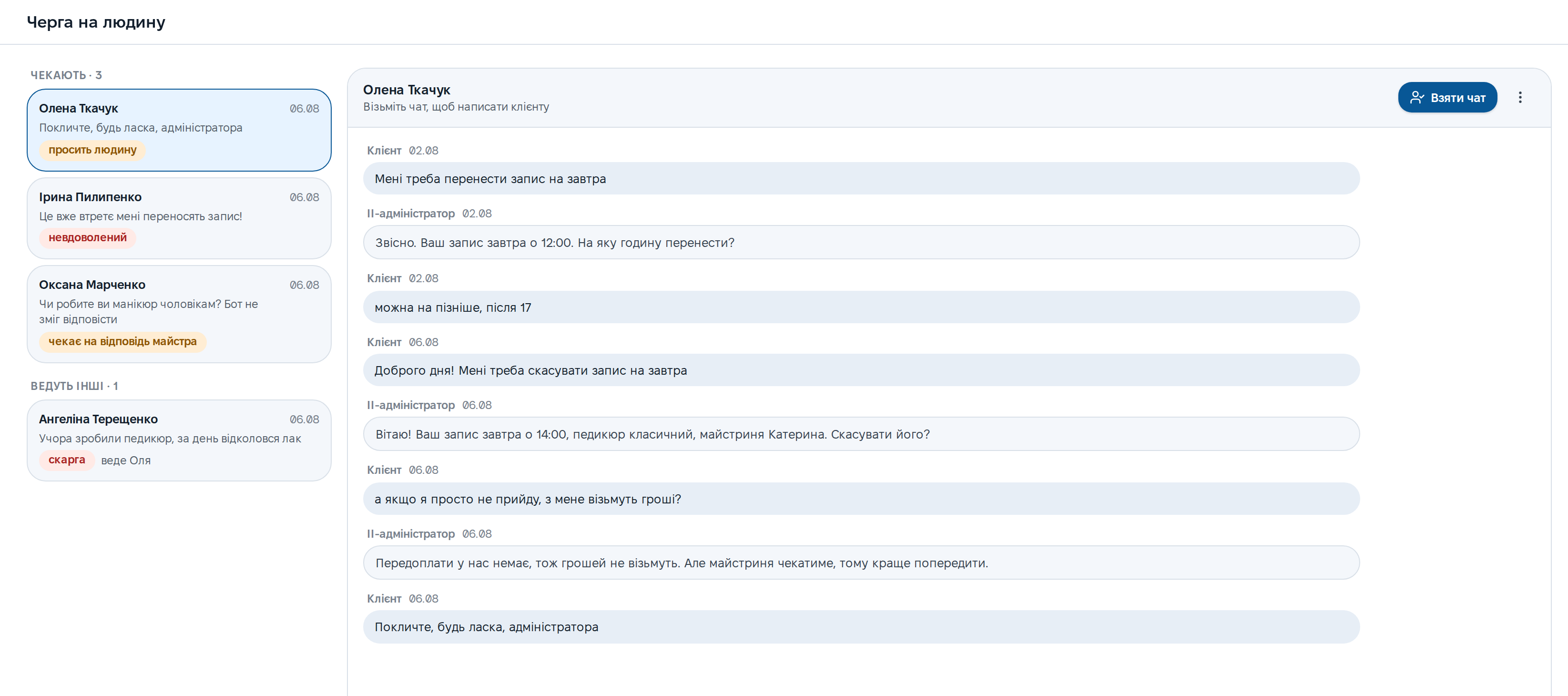
See where the bot called for a human
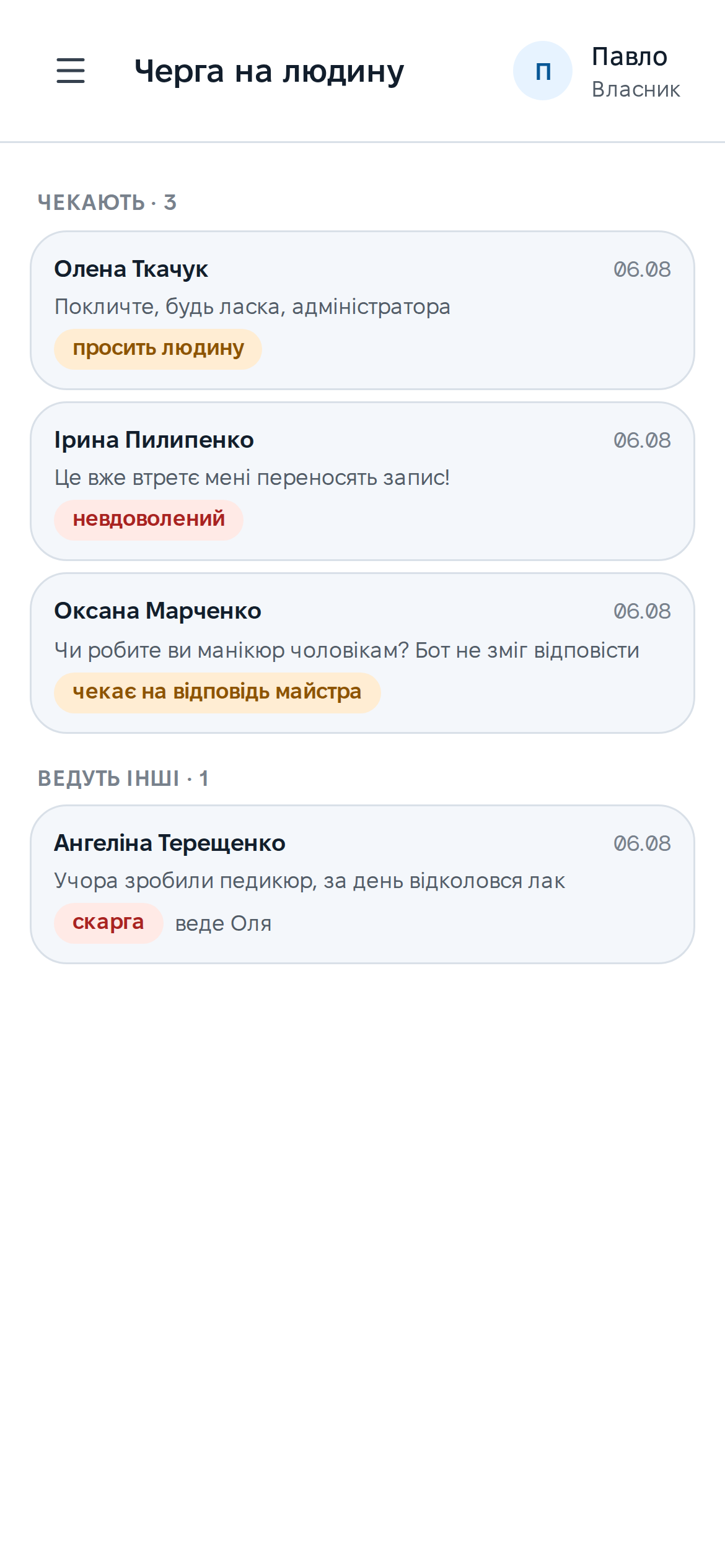
Not every chat, only the ones where the AI handed over: the client asked for an administrator, got upset or asked something the bot has no answer to. The reason shows as a tag, and the Take chat button hands you the conversation with its whole history.
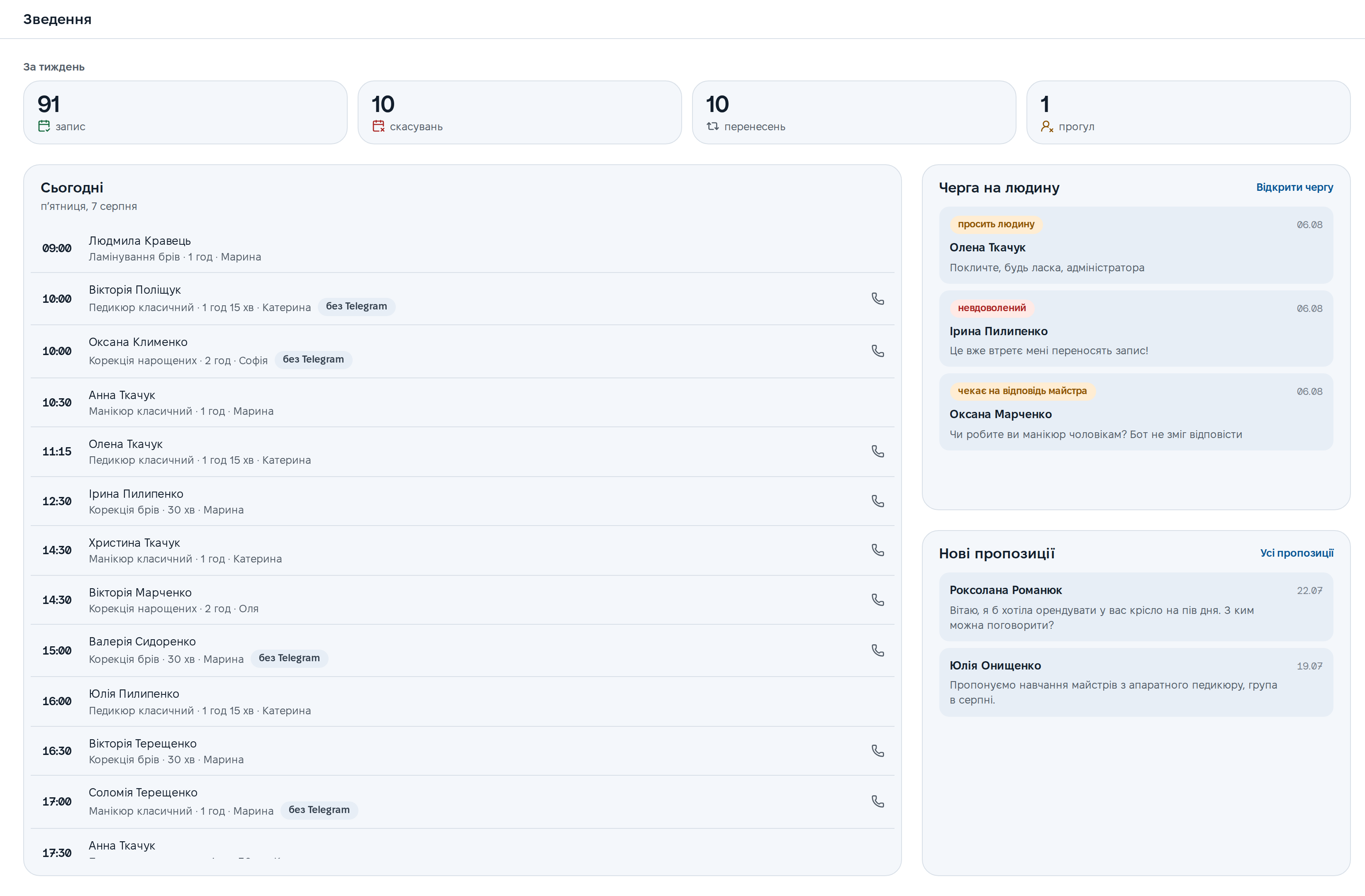
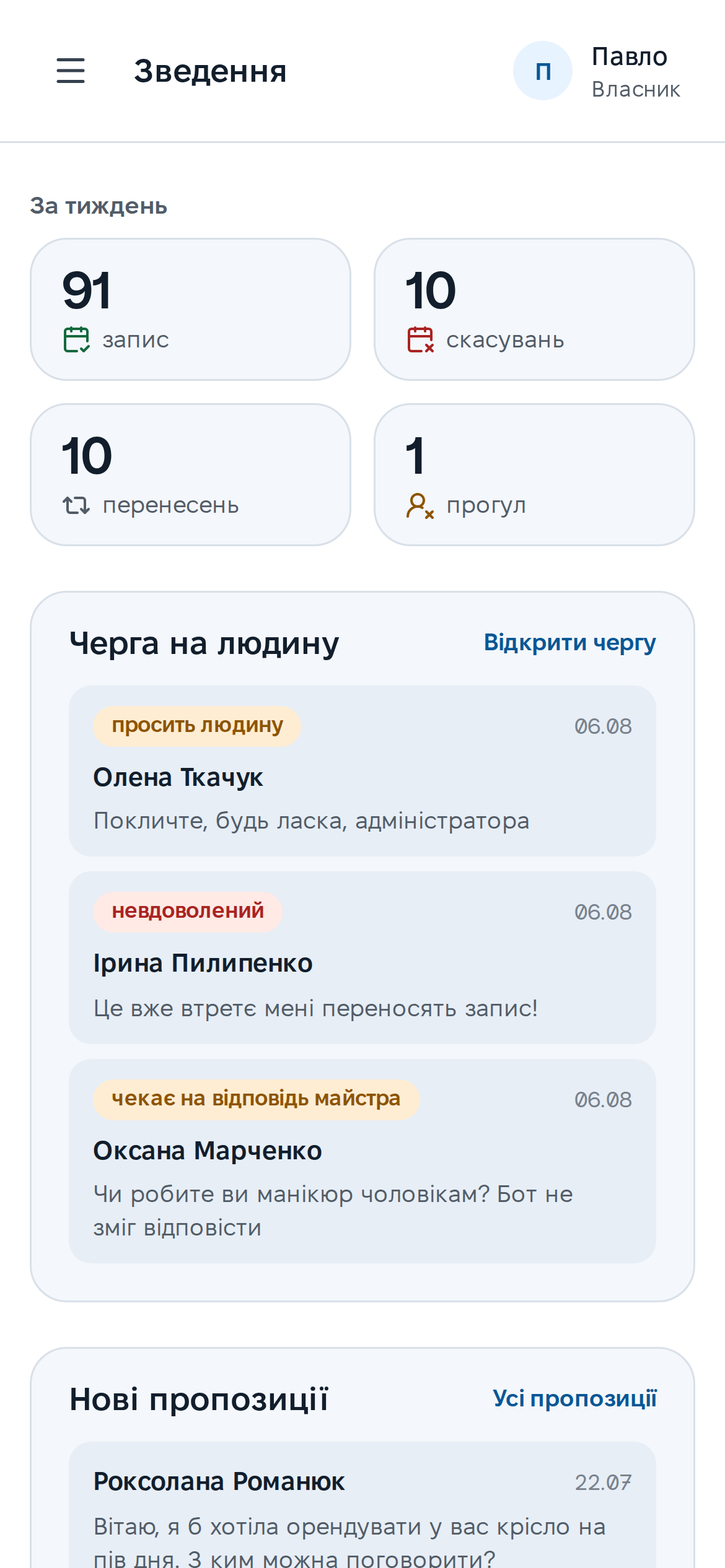
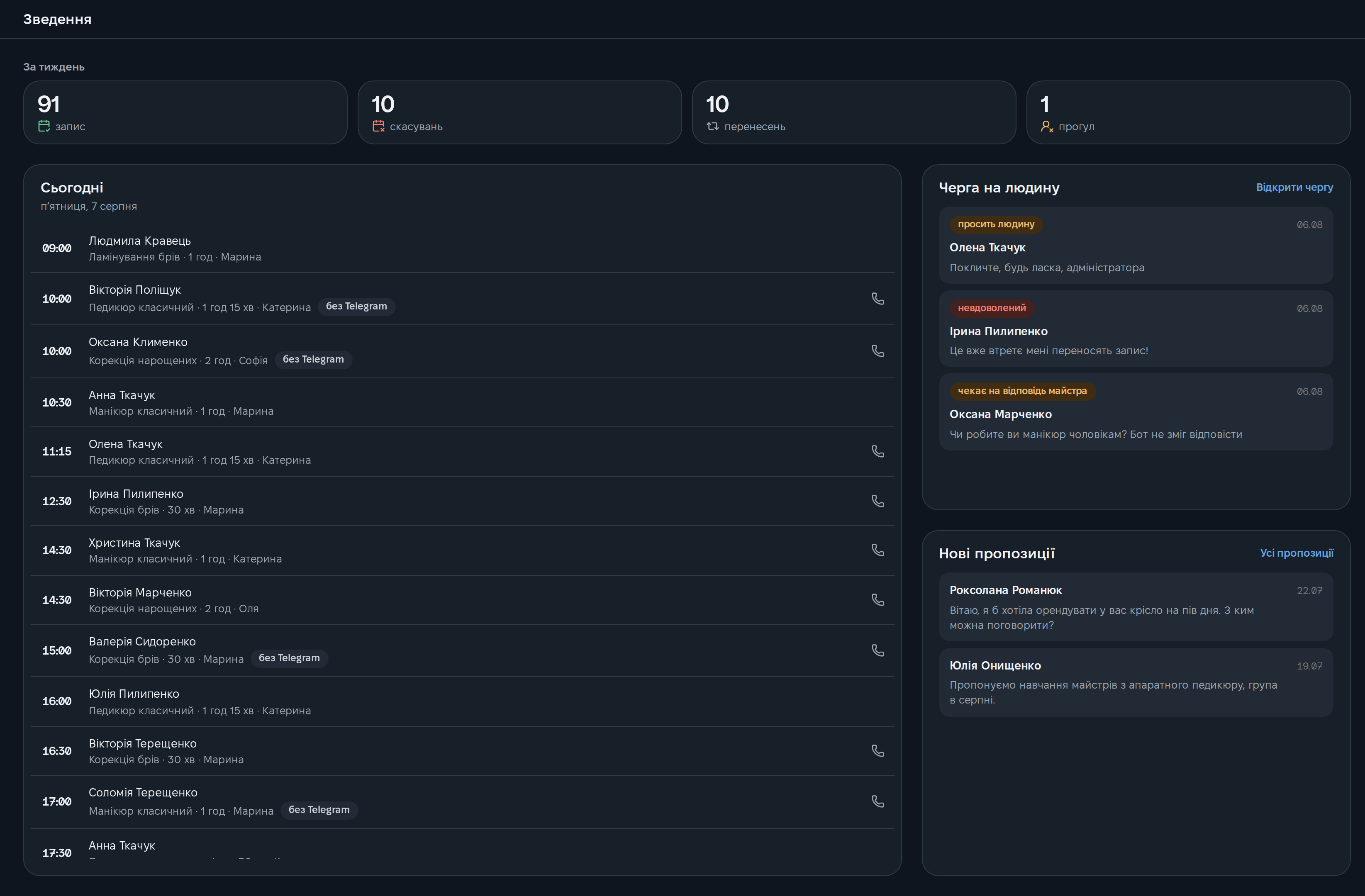
The morning starts with a summary
The week in numbers: bookings, cancellations, moves, no-shows. Below is today hour by hour, and to the side what's waiting for you: the human queue and new proposals.
A client's whole history on one card
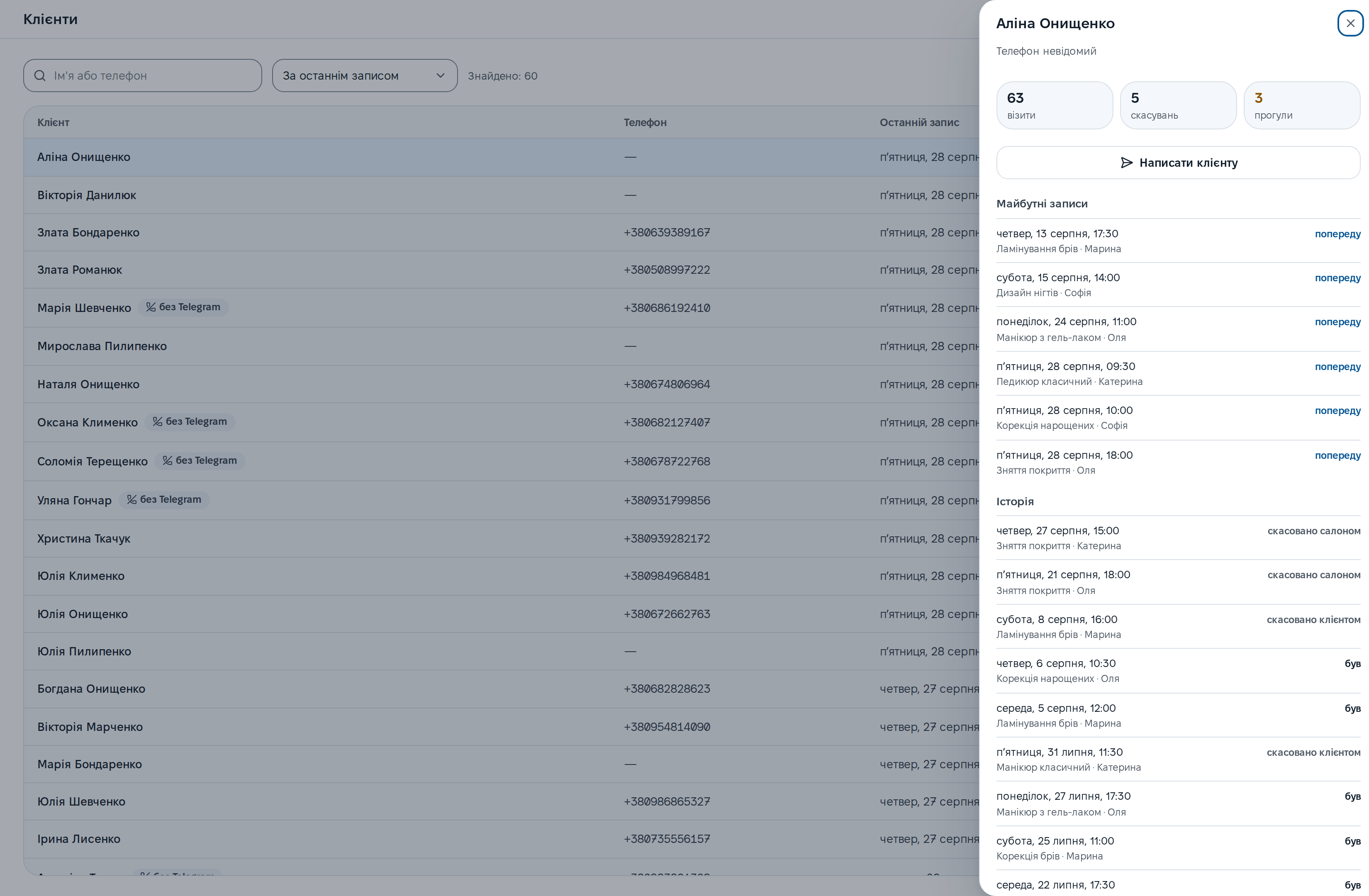
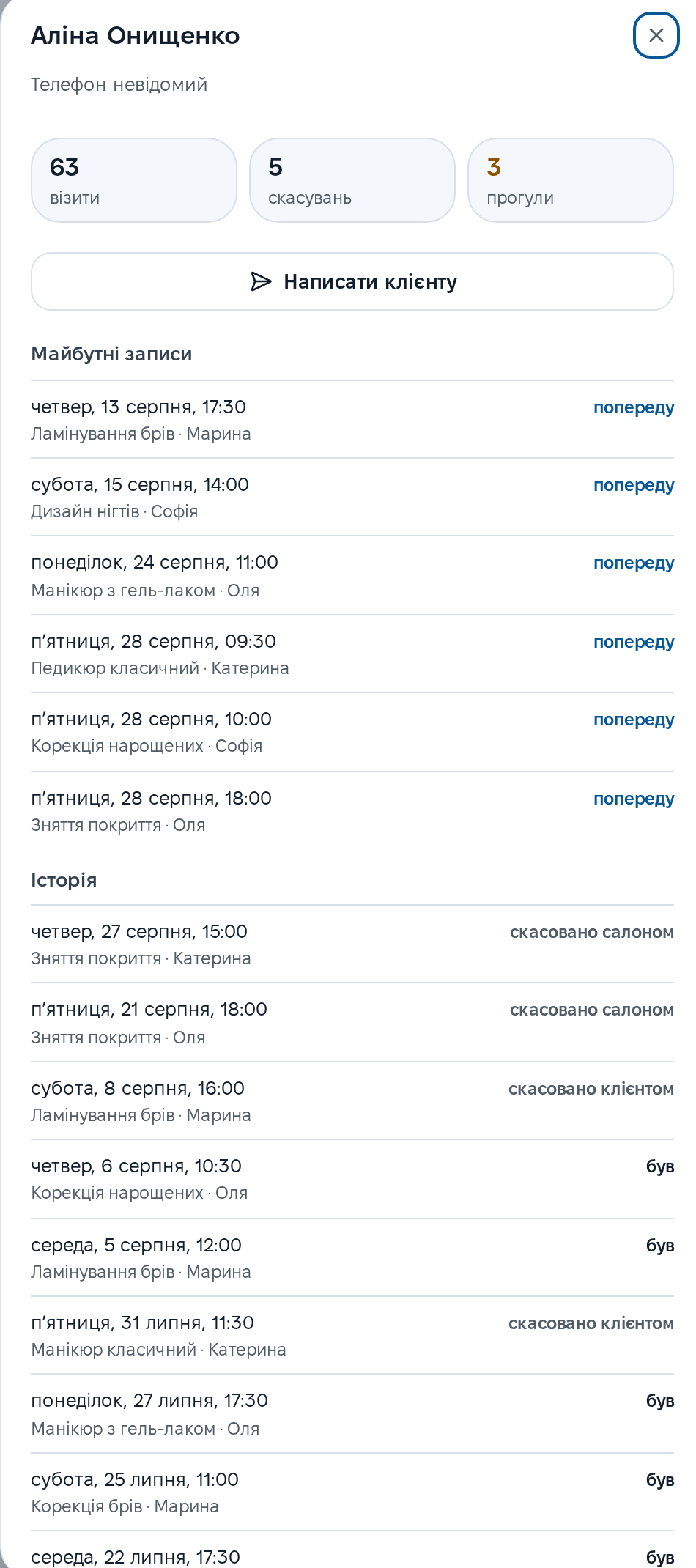
Search by name and phone, with a no-show counter right in the list. The card holds upcoming bookings and the full history: who came, who cancelled and how many times they didn't show up.
Broadcasts that don't spam
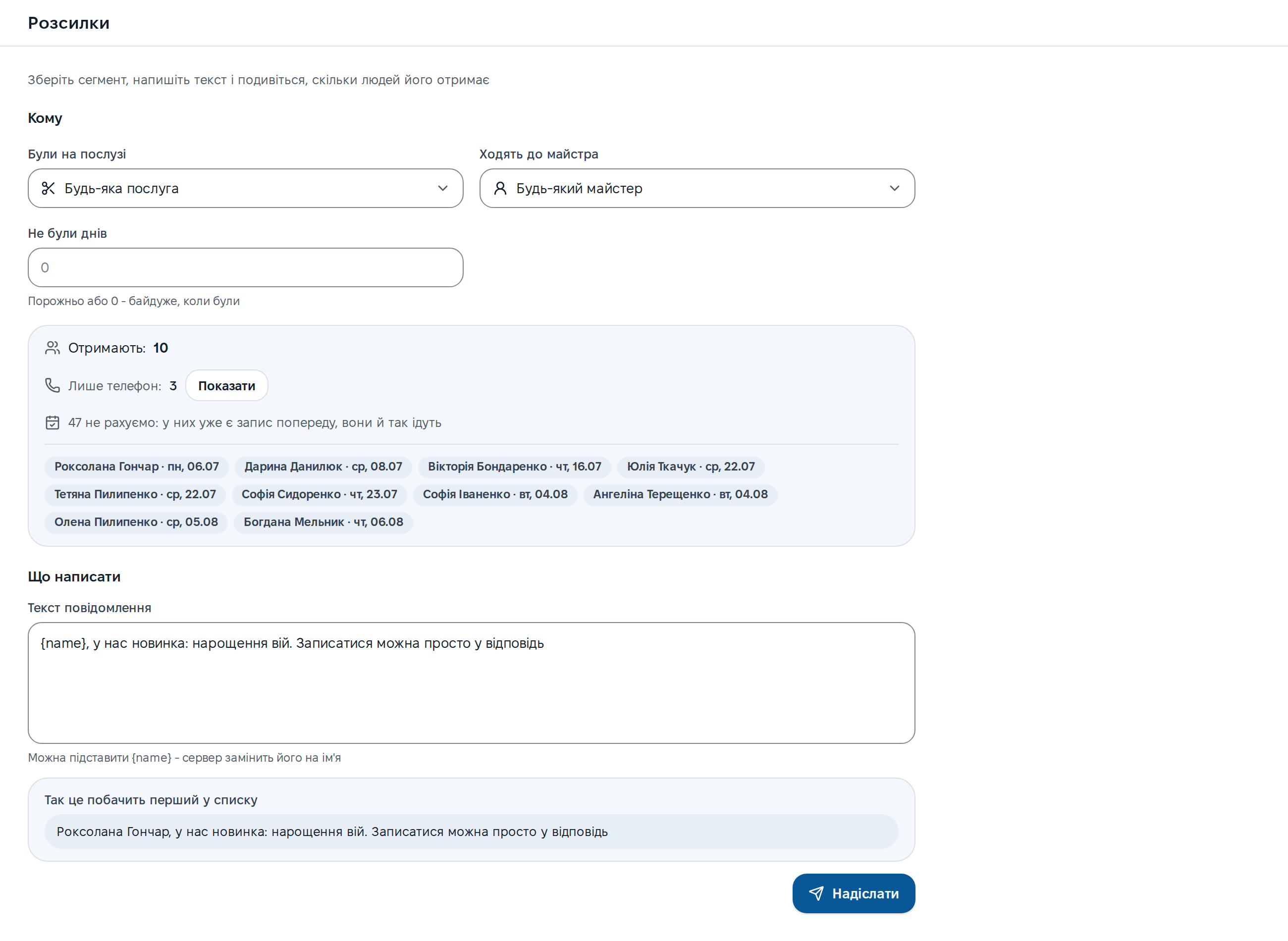
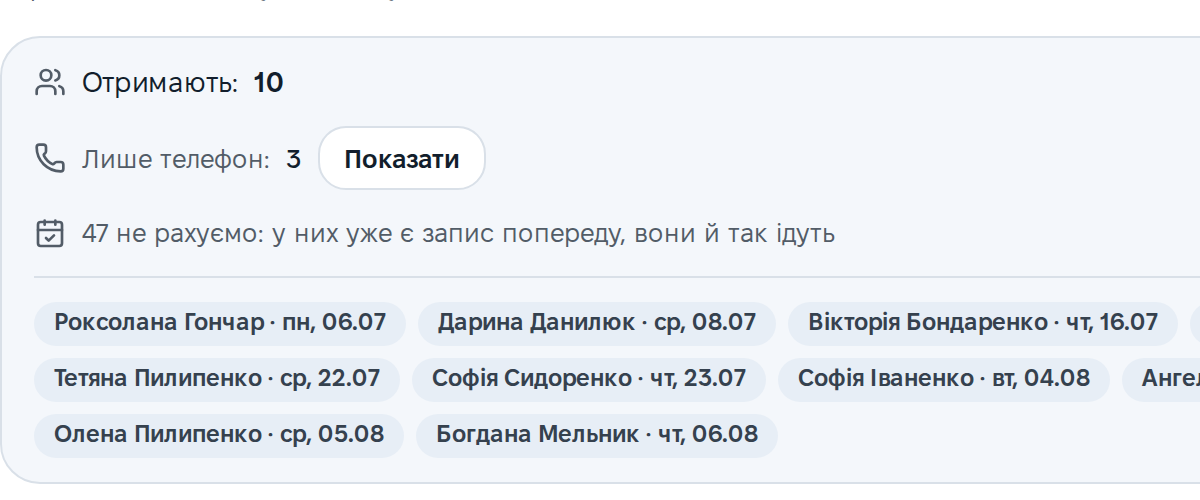
Build a segment by service, specialist and time since the last visit, and see the exact number of recipients before sending. Vikonce honestly leaves out those who already have a booking: they're coming anyway.
Ask your own bot first
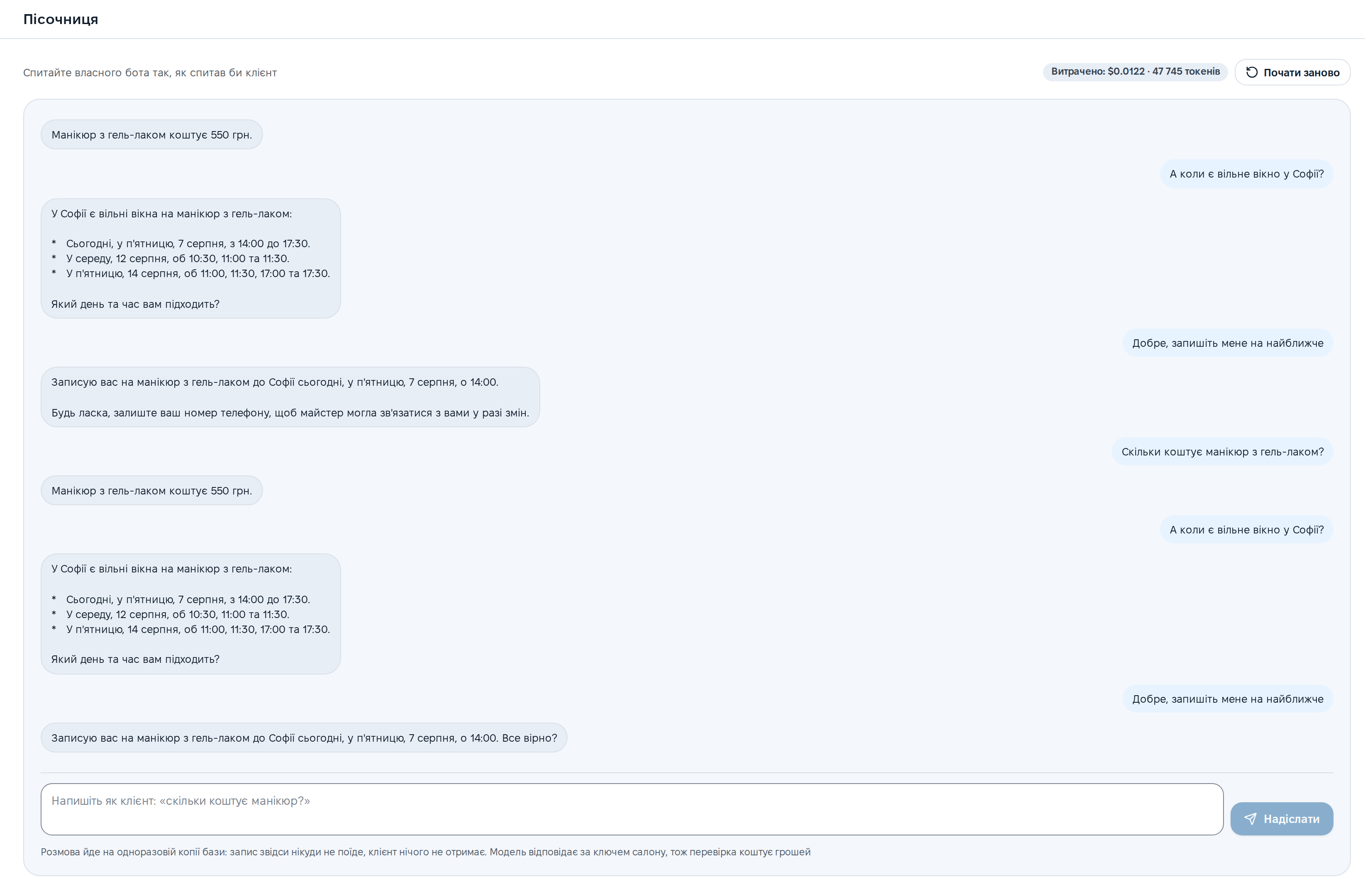
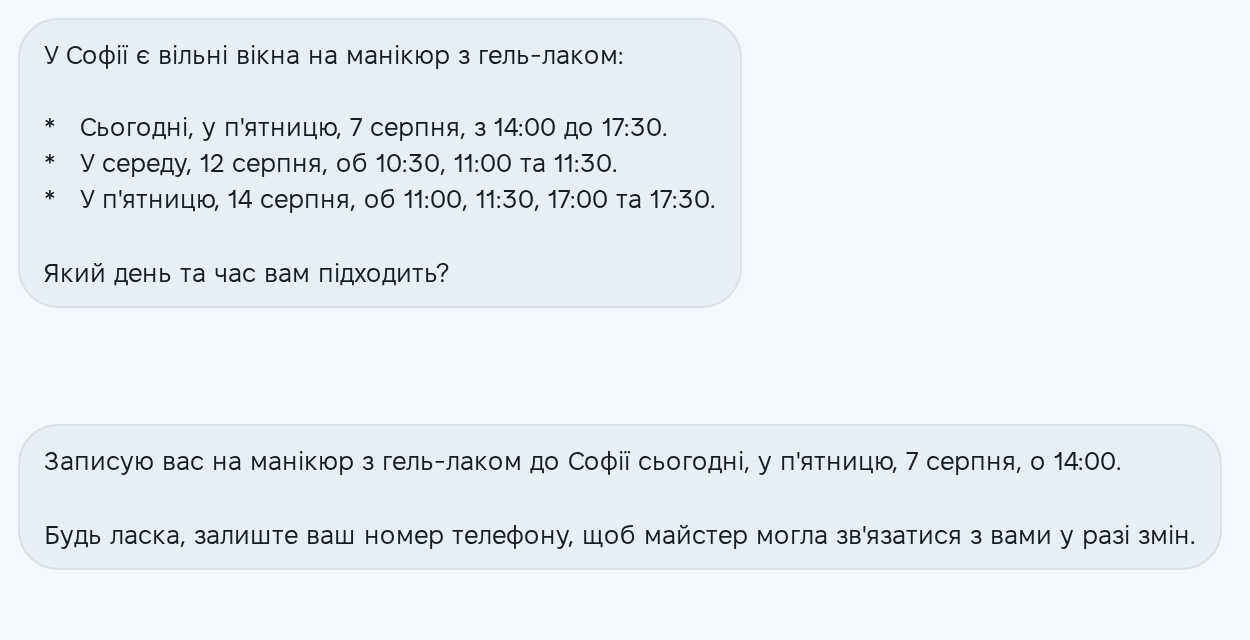
Talk to your bot the way a client would: ask for a price, a free slot, try to book. The conversation runs on a throwaway copy of the database, so a test booking never lands in the real calendar.
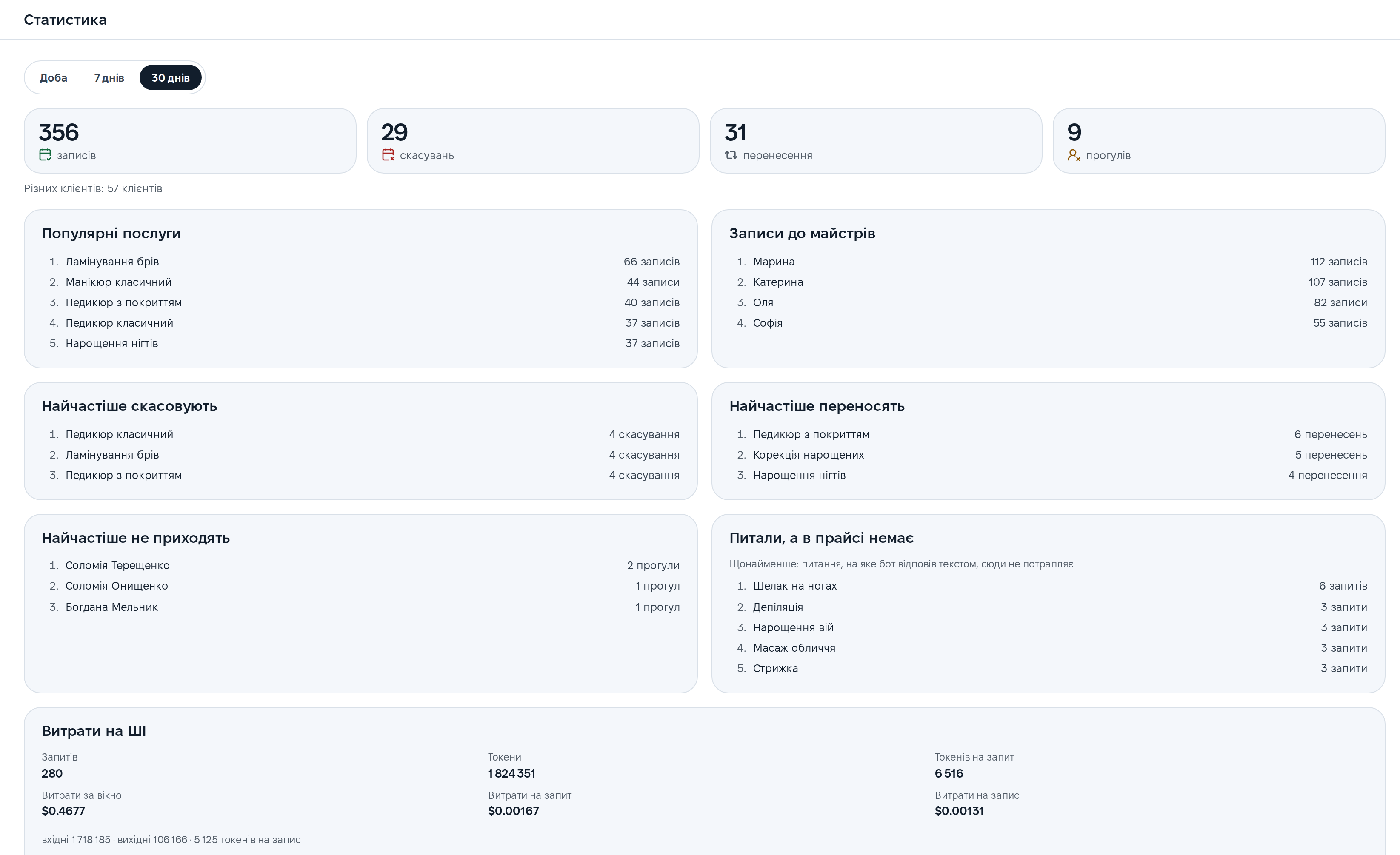
Numbers instead of hunches
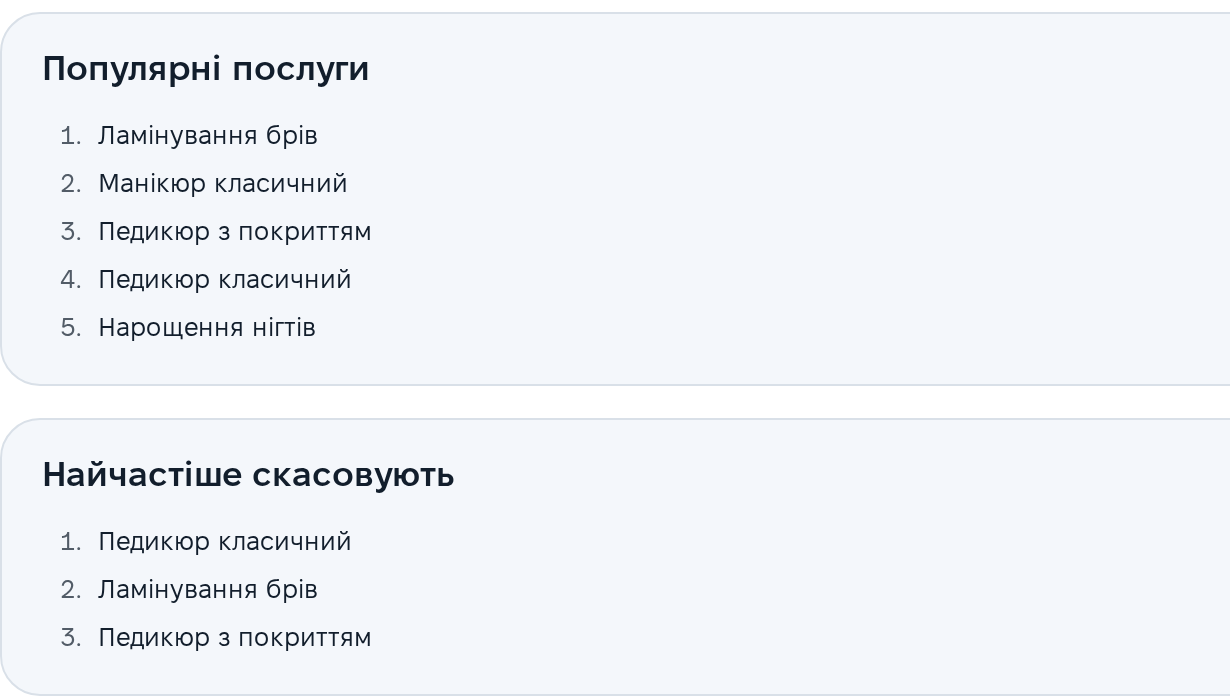
Day, week or month: top services and specialists, what gets cancelled and moved most, who doesn't show up. Separately, the questions clients asked about services that aren't on your list.
Who changed what, and when
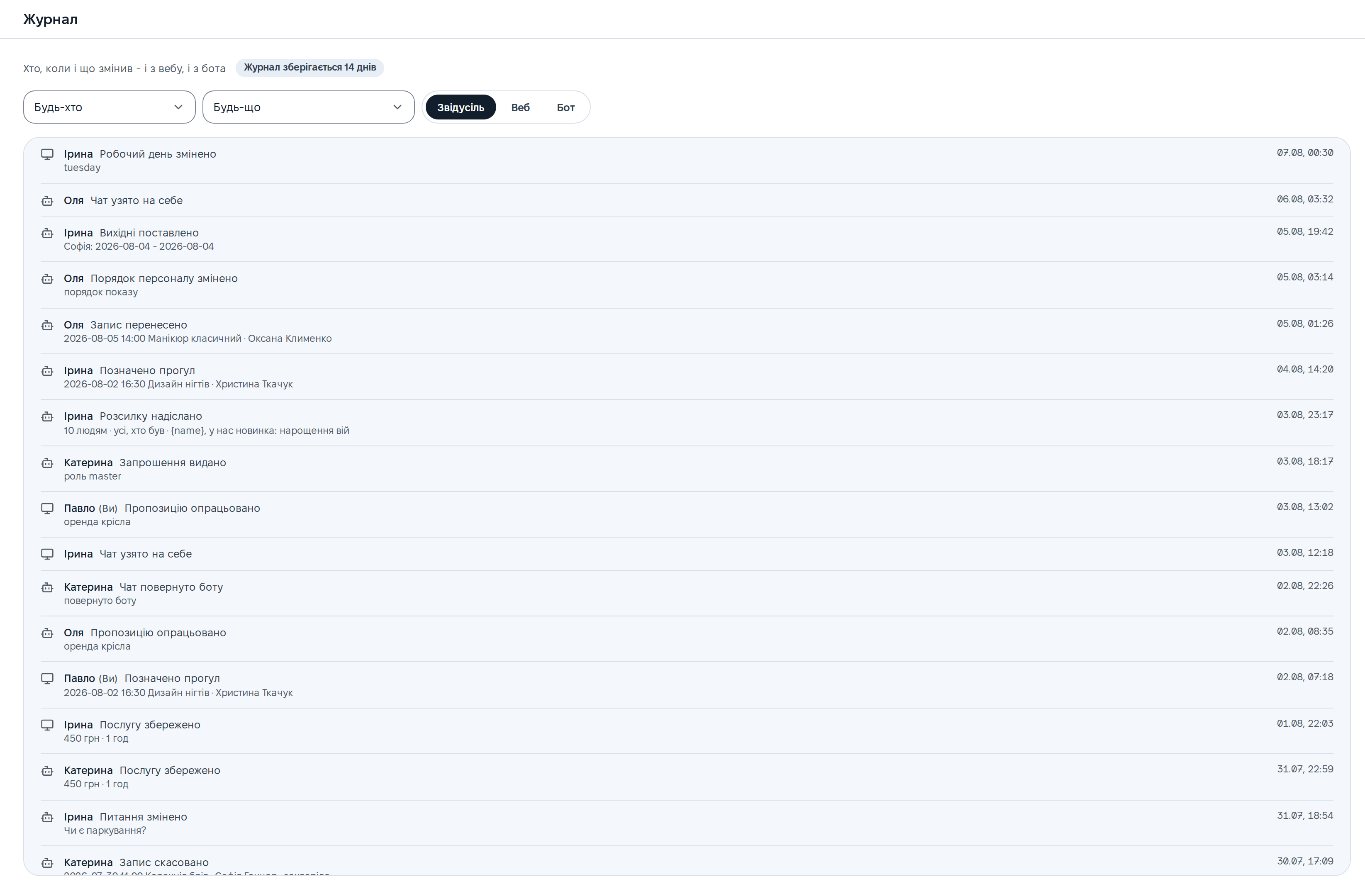
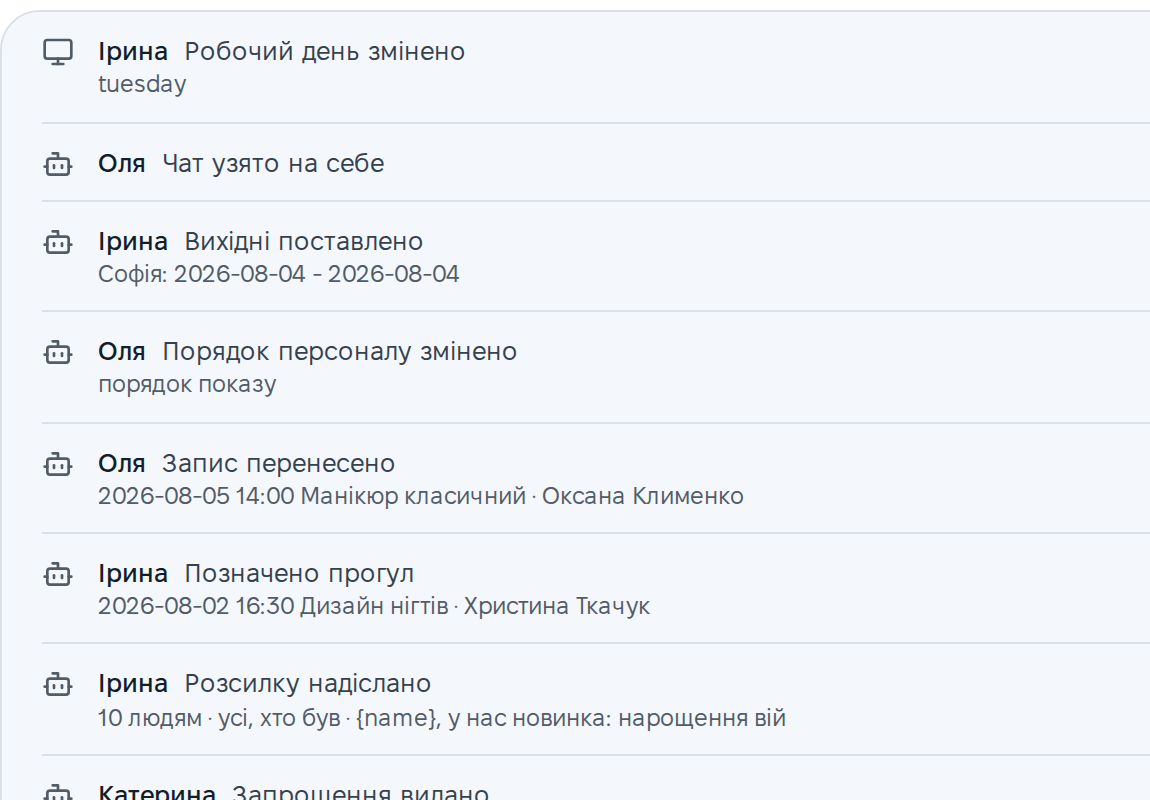
Web and Telegram in one feed: a moved booking, a changed price, a sent invitation. Every line is signed with a name, with filters by person and action. The log is kept for 14 days.
The little things you miss every day
Staff and roles
The owner sees everything, a specialist sees their own. One invitation link works for both the web and the bot. Used plan seats are shown right here.
Proposals kept apart
Chair rental, training, suppliers. The bot sorts these out of client requests so the human queue stays about clients.
Services, hours, answers
Prices, durations, who does what, working hours and answers to common questions. The bot quotes exactly what you write here.
Time off
Specialists' days off and vacations. The calendar won't offer a client a time that won't happen.
Browser notifications
New bookings and requests for a human arrive as notifications, on your phone too. No need to keep the tab open.
Updates without F5
The bot booked, a neighbouring tab booked, an administrator booked in Telegram: the screen updates by itself.
Several locations
One login for all of the owner's locations and a switcher at the top. Location data never mixes.
Security
Client phone numbers are encrypted with a separate key, the database stores only a hash of the session token, and every business lives in its own database.
Light, dark and on your phone
The interface is in Ukrainian, in two themes with the same contrast, and the browser remembers your choice. On a phone it isn't something that also opens, it's a proper working screen.
See for yourself: it takes a minute
Message the demo bot the way a client would: try booking, asking about prices, moving a visit. Vikonce will reply before you finish reading this sentence.
Open the demo in TelegramFree · No sign-up